
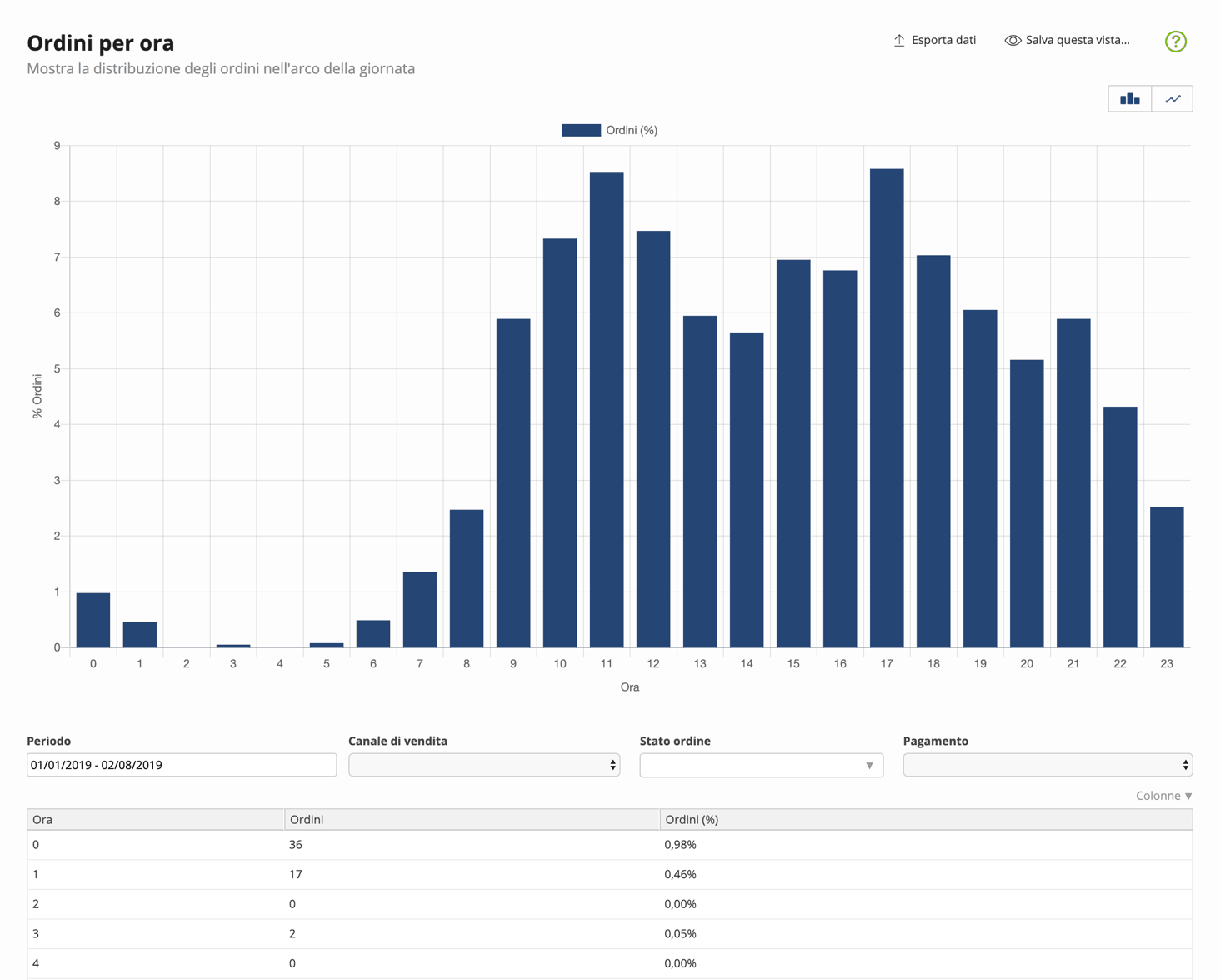
Orders by hour
Shows the distribution of orders received throughout the day, allowing you to organize business processes accordingly and identify peaks.
You can filter data by
- Period: date range in which you want to narrow or expand the analysis
- Sales channel: website, Amazon, eBay, or other channels
- Order status: the status of the order at the time of analysis, e.g., new, ready, shipped, etc.
- Payment: filters orders paid or to be paid at the time of analysis
Columns
| Column | Description |
|---|---|
| Hour | Hour of the day. The system shows hours in 24-hour format. |
| Orders | Number of recorded orders. The orders shown depend on the analysis period and the aggregation and filter criteria you set. |
| Orders (%) | Order amount expressed as a percentage. The orders shown depend on the analysis period and the aggregation and filter criteria you set. |