
Discounts/sales relationship
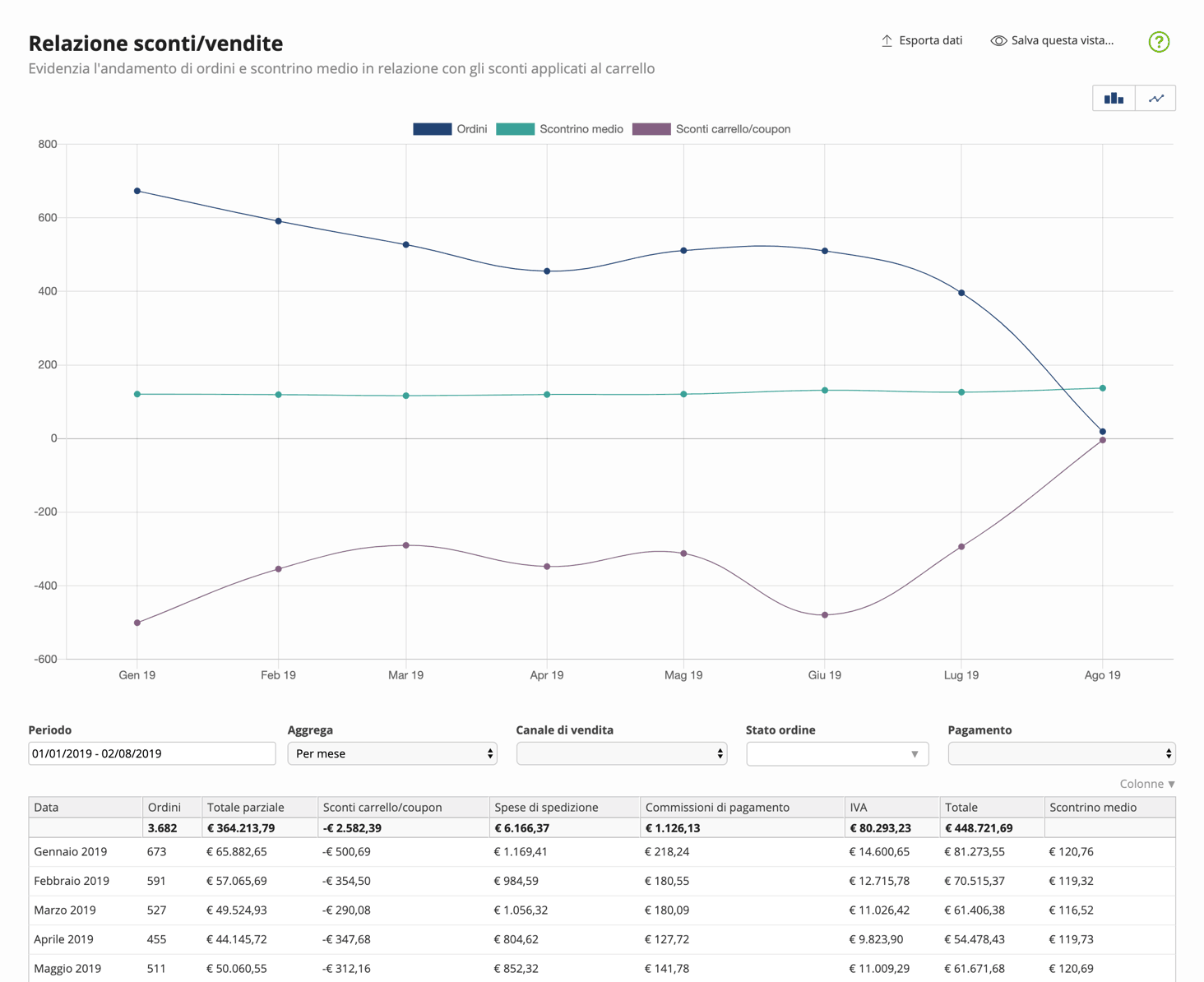
Shows orders and average order value to check possible relationships with cart discounts.
Therefore, specific promotions on individual products or groups of products are not considered, as they take effect before a product is added to the cart.
You can filter data by
- Period: date range in which you want to narrow or expand the analysis
- Sales channel: website, Amazon, eBay, or other channels
- Order status: the status of the order at the time of analysis, e.g., new, ready, shipped, etc.
- Payment: filters orders paid or to be paid at the time of analysis
You can also aggregate data to display partial values by:
- Year
- Quarter
- Month
- Week
- Day
Columns
| Column | Description |
|---|---|
| Date | Date when sales are recorded. Based on the desired aggregation level, data is presented by day, week, month, quarter, and year. |
| Orders | Number of recorded orders. The orders shown depend on the analysis period and the aggregation and filter criteria you set. |
| Partial total | Total sales expressed in currency. Amounts are grouped by the desired criteria, net of direct product promotions and gross of any discounts and coupons applied to the cart at the time of order. |
| Cart/coupon discounts | Discounts applied to the cart. The discounts shown do not include direct product discounts, which are applied before the product is added to the cart during checkout. |
| Shipping costs | Total shipping costs. Shipping costs are the carriers' costs, or part of them, that you choose to pass on to the customer. |
| Payment fees | Fees applied to payments. Costs related to payment methods offered to customers that you choose to pass on to the customer. |
| VAT | Value-added tax. This is the VAT applied to orders according to current regulations. |
| Total | Total order amount. Amounts are grouped by the desired criteria, net of direct product promotions and any discounts and coupons applied to the cart at the time of order. Amounts related to shipping costs, payment fees, and VAT are also added. |
| Average order value | Average order value. Indicates the average order amount relative to the Total, aggregated and filtered according to the desired criteria. |